1Closing the Old Account Is the Risky Part
Switching banks sounds simple. Open a new account, move your money over, close the old one. The moving-money part really is that easy. What is not easy is everything else quietly sitting behind that old account number: every bill, every subscription, every loan payment that was ever handed your account and routing number.
None of those companies know you switched banks. As far as they are concerned, nothing has changed, and they will try to pull the same payment from the same account on the same date they always have. If that account is closed by then, the payment simply fails.
Did you know? Most of the trouble from a bank switch does not show up on day one. It shows up 30 to 60 days later, when a bill you forgot about tries to charge the old account and gets returned, often with a fee attached from both sides.
2Two Kinds of Recurring Payments That Move Differently
The first kind is a bank-linked payment. This is anything where a company pulls money directly using your account and routing number: a mortgage or loan payment, a utility bill, an insurance premium, or a standing order you set up through your bank's bill pay. These only know one account number, and closing that account is the only thing that will ever stop them.
The second kind is a card-linked payment: a subscription or charge billed to a credit or debit card. A credit card is not directly tied to your checking account, so switching banks has no effect on it by itself, similar to what happens when a credit card gets replaced. A debit card is different. It is issued against one specific checking account, so closing that account makes the card itself stop working immediately, taking every subscription charged to it down with it.
There is one more overlap worth watching for: if you have a credit card bill on autopay pulled from your old checking account, that autopay is a bank-linked payment even though the credit card itself is not. Missing that one can mean a late payment on your credit report, not just a bounced charge.
3Why Nothing Moves to Your New Account on Its Own
In the UK, a formal switching service moves direct debits and standing orders to a new account automatically and redirects any misdirected payments back to the new account for three years afterward. If you bank somewhere that offers a service like this, it is worth asking your new bank whether you qualify before doing anything by hand.
In the US, there is no single system every bank participates in. Some banks offer their own switch kit tool, often built by a company like ClickSWITCH or Pinwheel, which can generate and submit the paperwork to move your direct deposit and some recurring payments once you connect your old account. That is genuinely useful when it is available, but it is opt-in, bank-specific, and still something you have to start yourself. Nothing happens automatically just because you opened a new account.
Note: even where a switch kit tool exists, it works off your recent transaction history, so it can miss anything billed less often than once a month, like an annual insurance premium or a yearly membership fee.
Closing a checking account does not cancel a single subscription. It just guarantees the next payment bounces instead of going through.
4Where to Find Every Recurring Payment
Before you touch the old account, pull the last two to three months of statements. Three months is better than one, since it catches anything billed quarterly. Write down every recurring line item you see, both the ones your bank pulled directly and the ones charged to a debit card linked to the account.
Ask your new bank if it offers a switch kit tool. If it does, connecting your old account can surface payments you might otherwise miss, but treat the list it gives you as a starting point, not the full picture. For a broader walkthrough of tracking down every recurring charge across your accounts, see our guide on finding all your automatic payments in one place.
5The Right Order to Do This In
Step 1: Open the new account first. Get the new account and routing number before you change anything else. You cannot redirect a single payment without it.
Step 2: Move your paycheck or direct deposit next. This is usually the easiest to fix and the most important to get right. Confirm at least one deposit has landed in the new account before you move on.
Step 3: Update bank-linked payments one at a time. Log into each biller directly and give it the new account and routing number. Do not assume anything transfers itself, even if a switch kit tool told you it would.
Step 4: Update debit-card-linked subscriptions and any credit card autopay. Do this once the new account is confirmed working, so you are not entering details for an account that might still have an issue.
Step 5: Keep the old account open with a small buffer. Do not close it the same week you switch. Give the stragglers time to show up.
6A Checklist for Every Type of Recurring Payment
Work through each of these before you close the old account:
- Paycheck or other direct deposit, updated directly with your employer or payroll provider
- Rent, mortgage, or loan payments pulled directly from the account
- Utility bills and insurance premiums, including any billed yearly rather than monthly
- Standing orders or bill pay set up through your old bank
- Credit card autopay, even though the card itself is unaffected
- Subscriptions and charges billed to a debit card tied to the old account
Anything you cannot immediately account for from this list is exactly the kind of hidden or forgotten subscription that only surfaces once a payment fails.
7Common Ways a Bank Switch Goes Wrong
Closing the old account too soon. The most common mistake is closing the account the same week the new one opens. A payment that only bills every 90 days or once a year has not had a chance to show up yet.
Missing an annual charge entirely. If you switch in July and an insurance premium only bills every March, it will not show up on any recent statement. It will simply fail months later, long after you assumed the switch was finished.
Fees stacking on both sides. When a bank-linked payment fails because the account is closed, your old bank can charge a returned-item fee, and the merchant can charge a separate late or failed-payment fee on top of it.
Assuming the debit card is separate from the account. It is not. The moment the checking account closes, the debit card tied to it is dead, along with every subscription charged to that card number.
8How Long to Keep the Old Account Open
A safe buffer for most people is 60 to 90 days with a small balance left in the old account. That covers at least two monthly billing cycles and gives quarterly bills a chance to appear.
If any of your recurring payments are billed yearly, a 90-day buffer will not catch them. For those specifically, check the exact date each one last billed and confirm it has been moved to the new account, rather than waiting for it to fail first.
9How to Never Rebuild This List Again
The hard part of switching banks is not the switch itself. It is that most people have no written record of what was on the old account until they are staring at a closing statement, trying to remember every bill and subscription from memory.
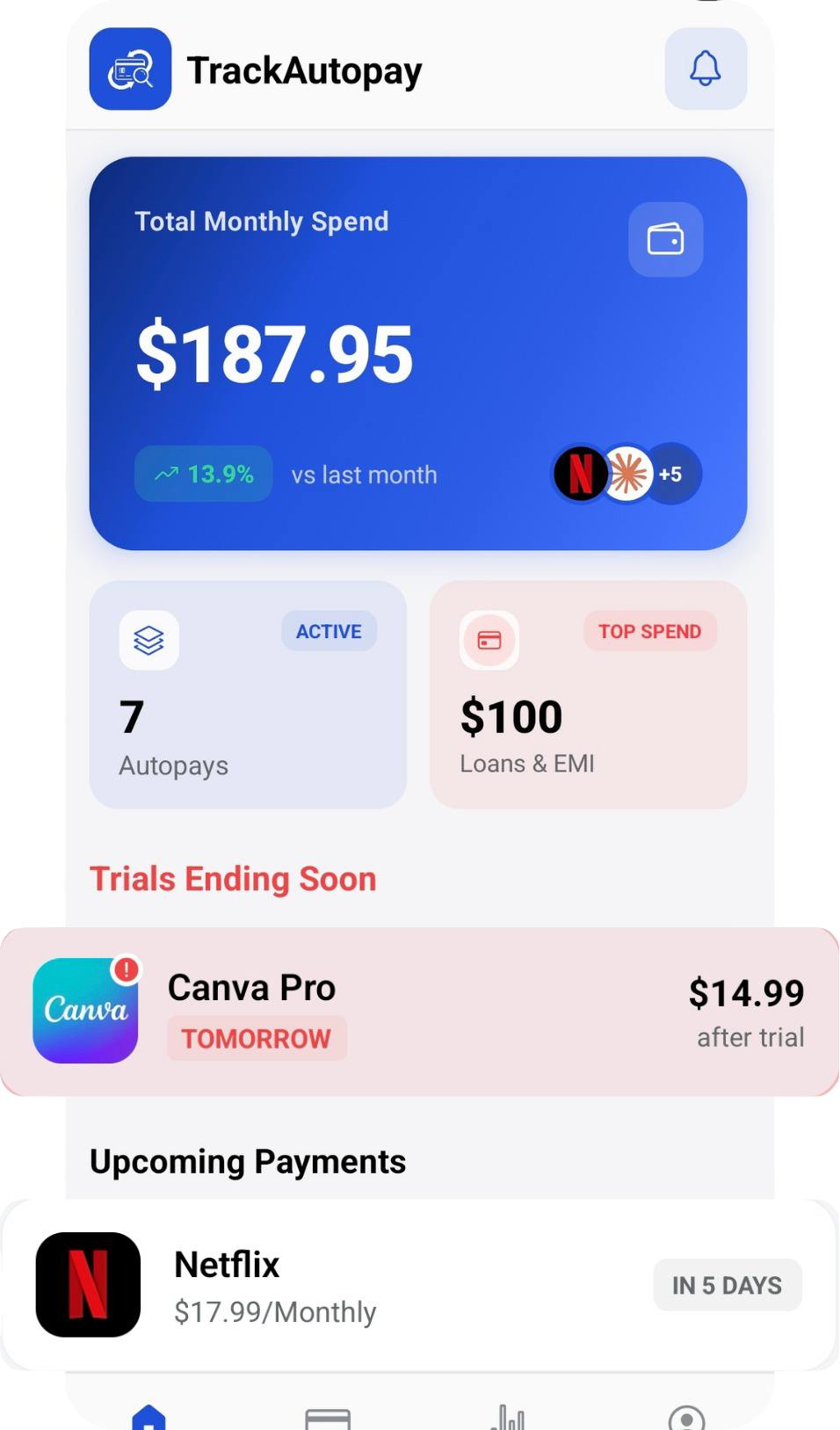
TrackAutoPay gives you one place to log every recurring payment you have, along with which account or card it is billed to. The next time you switch banks, replace a card, or just want to know where your money is going, you already have the full list instead of piecing it together under time pressure.
Keep One List of Every Recurring Payment
Stop rebuilding your bill and subscription list from memory every time something changes. Track every recurring payment and the account behind it in one place.