1Why an Unfamiliar Charge Doesn't Always Mean Fraud
You scroll through your bank or card statement and land on a line you don't recognize. No company name you know, just a strange abbreviation, a phone number, maybe a city. The first thought is usually the same: someone has your card.
Most of the time, that's not what happened. Banks don't print the name of the app or product you're actually paying for. They print what's called a merchant descriptor, a short label set by the company processing the payment, and that label is often nothing like the brand you remember signing up with.
Note: this guide is about identifying what a charge actually is before you decide what to do about it. If you already know a charge is unauthorized and want the exact steps to get your money back, see our guide on how to dispute an unauthorized bank charge.
Did you know? A charge that looks nothing like the company you're paying is one of the most common reasons people call their bank to dispute a transaction that turns out to be their own subscription, billed through a name they didn't expect.
2#1: How a Merchant Descriptor Actually Gets Built
A merchant descriptor is usually made up of a shortened business name, sometimes a phone number or short web address, and occasionally a city or state. Card networks limit how many characters fit in that field, often to well under 25, so longer company names get cut down until they barely resemble the original.
Example scenario: you subscribe to a newsletter service called Daily Digest Plus. On your statement, it shows up as "DLYDGST+ 888-555-0199 CA". The name is truncated almost past recognition, but the support phone number is still intact.
That phone number, or a short web address if one is included, is usually your fastest way to identify the merchant. Search it, or call it directly, before assuming the worst about a charge you can't place.
3#2: The Aggregators That Hide the Real Merchant
Plenty of subscriptions never bill through the company you signed up with at all. They bill through a platform that collects the payment on the company's behalf, and that platform's name is what reaches your statement instead.
Apple's App Store typically shows up as something like "APPLE.COM/BILL" or "APL*ITUNES", covering any app or in-app subscription tied to that Apple ID, not just one. Google Play usually shows up as "GOOGLE *" followed by the app or service name, so the merchant is at least partly visible after the asterisk. PayPal works the same way, printing "PAYPAL *" followed by the actual merchant name for anything paid through a PayPal balance or a card saved to PayPal.
Example scenario: you deleted a fitness app a year ago, but "APPLE.COM/BILL" still shows a monthly charge. Deleting an app does not cancel its subscription. The billing relationship lives with the App Store, so the charge keeps going until you cancel it in Settings > Subscriptions on the device tied to that Apple ID.
Smaller or newer merchants often route payments through a processor like Square, Stripe, or a similar service, and the descriptor may show the processor's short code alongside the business name rather than the business name alone.
The name on your statement is usually chosen by whoever processed the payment, not by the company you actually pay.
4#3: Five Steps to Identify a Charge Before You Call Your Bank
Before treating an unfamiliar charge as fraud, run through these five steps. Most charges get identified well before the last one.
Step 1: Match the amount and date against your own subscription list. If you already track your subscriptions in one place, this takes seconds. If a charge appears the same day and amount as something you already pay for, that's your answer.
Step 2: Search the exact descriptor text. Copy the full line, phone number and all, and search it in quotes. Payment processors and forums that track statement descriptors are surprisingly common, and someone else has usually already asked about the same text.
Step 3: Search your email by amount, not by company. If you don't remember which company you're looking for, searching your inbox for the exact charge amount around that date often surfaces the receipt faster than searching for a name you can't recall.
Step 4: Check your app store subscription page. Go to Settings > Subscriptions on iOS, or Google Play > Payments & subscriptions on Android, and look for anything billing on that date. This catches app subscriptions that a generic "Apple" or "Google" line on your statement won't spell out.
Step 5: Call the phone number in the descriptor. Many processors staff a support line specifically for cardholders trying to identify a charge, and it's usually faster than starting a dispute with your bank.
If a charge turns out to be a subscription you forgot about, cancelling it directly with the merchant is usually enough. If you can't find any trace of it after all five steps, that's the point where contacting your bank makes sense.
5Common Descriptor Patterns, Side by Side
These are general patterns seen across common processors and platforms, not a definitive lookup table. Always confirm with a phone number, receipt, or your own records before assuming what a charge is.
| What You See | What It Usually Means |
|---|---|
| APPLE.COM/BILL or APL*ITUNES | An app or in-app subscription billed through the App Store, tied to your Apple ID |
| GOOGLE *[name] | A subscription billed through Google Play, app name usually follows the asterisk |
| PAYPAL *[name] | A payment through PayPal, the real merchant name usually follows the asterisk |
| SQ *[business name] | A purchase run through Square, common for small businesses, rarely a subscription |
| A short code plus a phone number | A merchant name truncated to fit the descriptor's character limit |
| A city and a toll-free number, no company name | Often a payment processor, the phone number is your fastest way to identify the real merchant |
6#4: When the Charge Really Is Unauthorized
After working through the five steps above, a small number of charges still won't match anything. That's when it's worth treating the charge as potentially unauthorized rather than continuing to guess.
A few signs point more toward fraud than a forgotten subscription: the charge is in a currency or country you have no connection to, the amount is unusually small and doesn't match any subscription price you recognize, or it's one of several small, similar charges appearing close together. Small test charges are sometimes used to check whether a stolen card number still works before a larger charge follows.
Note: if you land here, act quickly. Contact your bank or card issuer to flag the card, and follow the exact steps and documentation covered in our guide to disputing an unauthorized bank charge.
7How to Stop This Confusion From Happening Again
The real fix isn't getting faster at decoding statement descriptors, it's not needing to in the first place. That starts with keeping a record of every subscription you sign up for the moment you sign up for it, including the amount and the billing date, so a future statement charge matches something you already have written down instead of something you're trying to reverse-engineer from memory.
It also helps to know which card a charge could even be on. Putting subscriptions on a single dedicated card instead of scattering them across every card you own immediately narrows down where an unfamiliar charge could have come from, and makes each one easier to check.
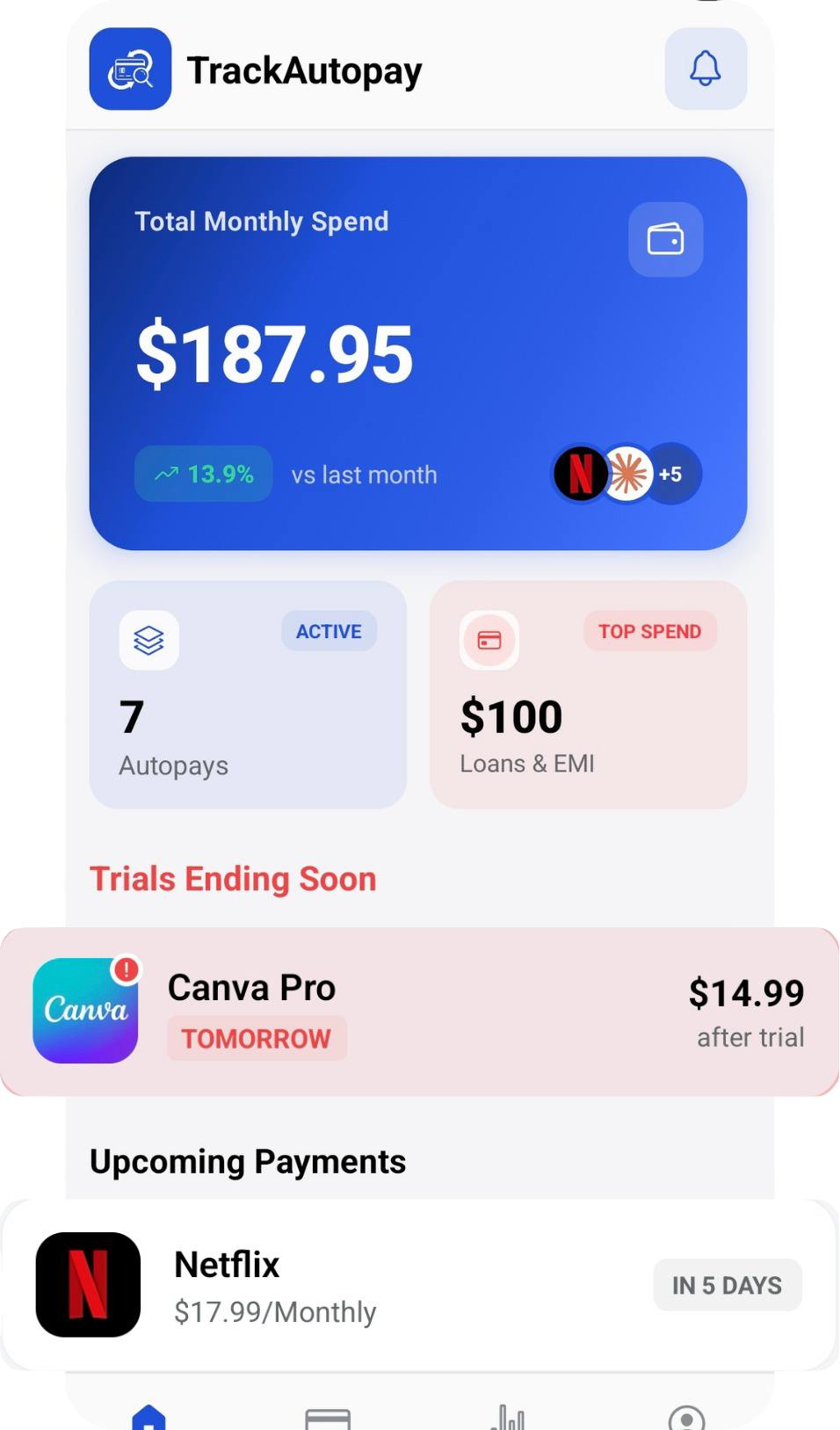
TrackAutoPay gives you one place to log every subscription with its exact amount, billing date, and card, so when a strange line shows up on your statement, checking it takes seconds instead of an evening of searching your inbox and calling phone numbers.
Never Guess at a Statement Charge Again
Log every subscription with its exact amount, billing date, and card in one dashboard, so any charge on your statement is easy to check.