1Why a Single Decline Snowballs
One missed subscription charge rarely stays a single problem. Your bank can react to it, the company billing you can react to it, and depending on what the payment was for, your credit file can react to it too, all from one card that got declined on one specific day.
Most people find out a payment was declined only after something else already happened, a locked account, a bounced-payment email, or a bank fee that shows up on a statement days later. By then it is harder to tell which of the several things that went wrong happened first.
Did you know? A single declined charge can trigger more than one fee at once, a bank-side fee for the failed attempt and a merchant-side fee for the missed payment, even though only one thing actually happened.
2The Most Common Reasons a Payment Declines
Not enough money in the account is the reason most people assume, but it is only one of several. Knowing which one actually happened changes what you need to do next.
- Not enough money in the account or available credit on the card at the moment the charge was attempted
- The card has expired or was recently replaced after being lost, stolen, or flagged for fraud
- The charge amount or the merchant looked unusual to your bank's fraud system, so it was blocked automatically
- The card has hit a daily or monthly spending limit set by you or your bank
- The billing address or other details on file with the merchant no longer match what your bank has
A card that changed for any reason is a common cause here too. If your card was recently replaced, it is worth reading what actually happens to your subscriptions when a card is replaced alongside this guide.
3What Happens in the Days After a Decline
Almost no subscription company cancels your account the moment a single charge fails. Most billing systems are built to try again automatically, usually a few days later, sometimes more than once, before anyone marks the account as past due.
A typical pattern looks something like this: the first attempt fails, the company sends an email or in-app notice, a second attempt runs a few days later, and if that also fails, a third attempt follows a few days after that. Somewhere between one and three weeks in, most companies either pause access to the service or cancel it outright.
Note: this schedule is different for every company and is not something you can look up in one place. A large streaming or software company may give you three weeks of retries. A small local business billing you directly may only try once before it calls the payment past due.
4The Bank-Side Fee: Overdraft and NSF Charges
If a payment was declined because your account did not have enough money, your bank may charge you for that on its own, separate from anything the merchant does. This usually shows up as either an overdraft fee, where the bank pays the charge anyway and charges you for covering the gap, or a non-sufficient funds (NSF) fee, where the bank simply refuses the payment and charges you for the attempt.
Banks that still charge these fees typically list an amount in the account agreement you signed when you opened the account, and it is not the same at every bank. A number of large banks have dropped overdraft and NSF fees entirely in recent years, while others still charge them, so the honest answer is to check your own bank's current fee schedule rather than assume a number.
Note: some banks charge this fee once per declined attempt, which means a subscription that gets retried three times before it finally goes through, or finally cancels, can generate three separate fees on the same missed payment.
5The Merchant-Side Fees You Can Also Get Hit With
Separate from anything your bank charges, the company you owe the money to has its own set of possible costs:
- A late fee added to your next bill for the missed payment
- A reactivation fee if the account was paused or canceled and you want it back
- The loss of a promotional or grandfathered price, with only the current rate offered when you resubscribe
- A gap in coverage, if the payment was for something like insurance rather than an app or streaming service
Example scenario: a streaming subscription you have had for three years at an old, lower price fails to charge because your card expired. The company retries twice over ten days, both attempts fail because you never updated the card, and the account cancels. When you sign back up a month later, the only price on offer is the current one, higher than what you were paying before.
One declined charge can produce a bank fee, a merchant late fee, and a lost subscription price, and none of the three systems that caused them ever talk to each other.
6Does This Affect Your Credit Score?
For most subscriptions, no. A streaming service, a gym membership, or a software plan does not usually report your payment history to the credit bureaus at all, so a declined charge stays between you, your bank, and the company you owe.
The exception is anything tied to an actual credit account: a credit card bill, a loan payment, or a buy now, pay later plan. Those are reported, and a payment that stays missed long enough can show up on your credit file. If you use buy now, pay later alongside regular subscriptions, it is worth reading how those plans quietly overlap with the rest of your autopay.
7A Checklist for the Moment You Get a Decline Notice
A decline notice is easy to ignore when it looks like routine spam. Running through this once, right when you see it, keeps a single failed charge from turning into three separate problems.
Step 1: Find out why it actually declined. Log into the merchant's account settings or check your bank app directly, rather than guessing. A low balance and an expired card need two completely different fixes.
Step 2: Check your bank account for a fee before it repeats. If your bank charges an overdraft or NSF fee per attempt, fixing the underlying problem quickly can stop a second or third fee from stacking on top of the first.
Step 3: Update the payment method with the merchant directly. Do not assume the next automatic retry will succeed just because you fixed one thing. Confirm the new card or account details are actually saved on the merchant's side.
Step 4: Ask about your old price if the account already canceled. Some companies will restore a grandfathered rate if you call or message support quickly, especially if the cancellation was clearly caused by a payment issue rather than you choosing to leave.
8Three Habits That Prevent the Next One
Most declined autopay payments are preventable once you can see them coming instead of finding out after the fact:
- Line up your billing dates against your paydays, so a charge never lands two or three days before your income does
- Keep a small buffer balance in the account your subscriptions pull from, separate from your everyday spending money
- Update every card on file the same week it changes, rather than waiting for the first decline to remind you
All three of these depend on actually knowing what is due and when, which is harder than it sounds once you have subscriptions spread across a bank account, a couple of cards, and an app store or two.
9Seeing Every Charge Before It Is Due
The real fix for a declined payment is not reacting faster after it happens. It is knowing the full list of what is due, how much, and when, far enough ahead that you can move money or update a card before anything is attempted.
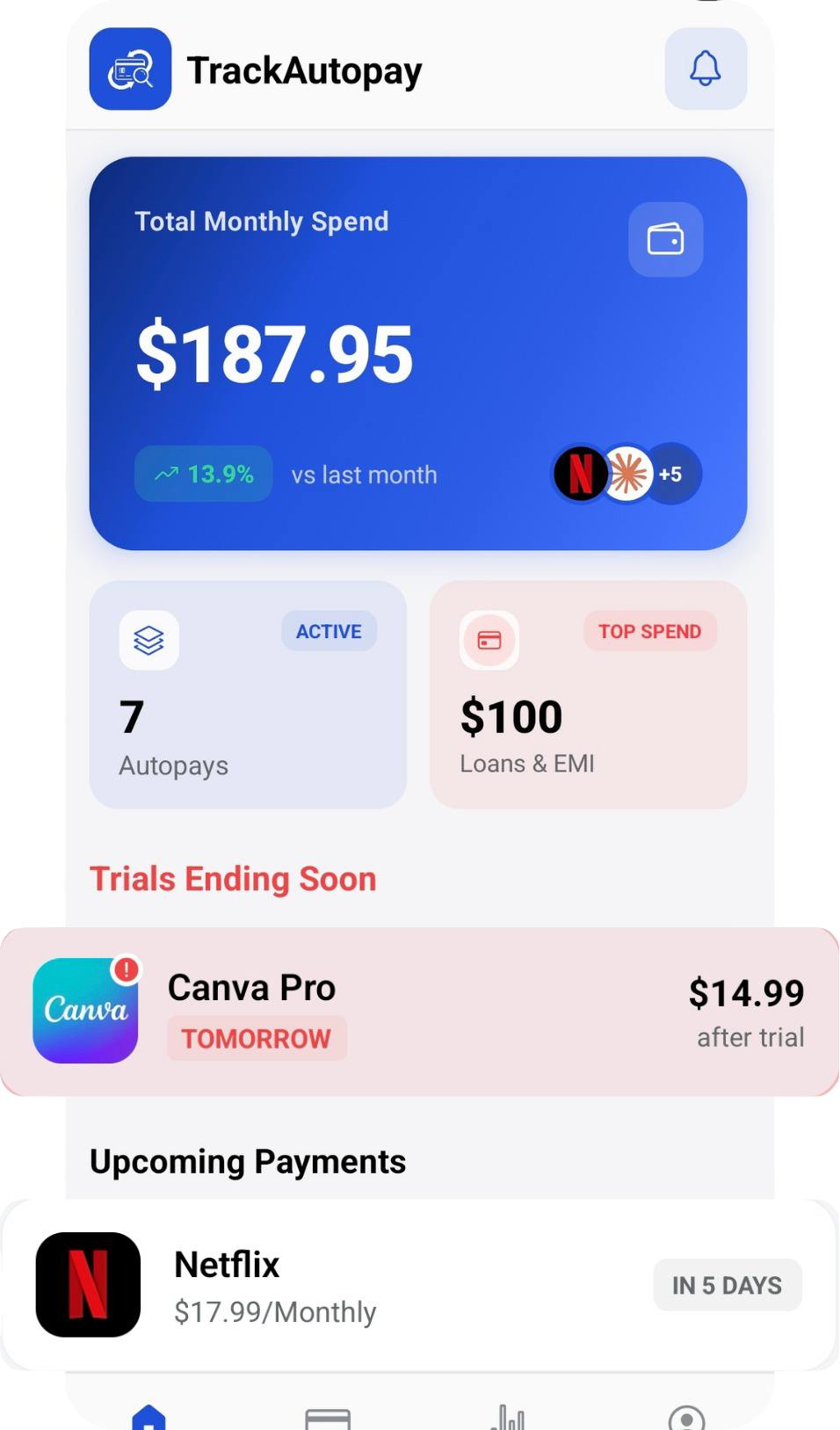
TrackAutoPay gives you one place to log every subscription and recurring bill with its due date, so you can see what is coming up against your account balance instead of finding out about a problem from a decline notice or a bank fee.
Never Get Caught Off Guard by a Decline Again
See every upcoming charge in one place and get a reminder before it is due, so a low balance or an old card never turns into a fee.